Vizemotion Lab / Furniture software
You have the dimensions.
Turn them into furniture.
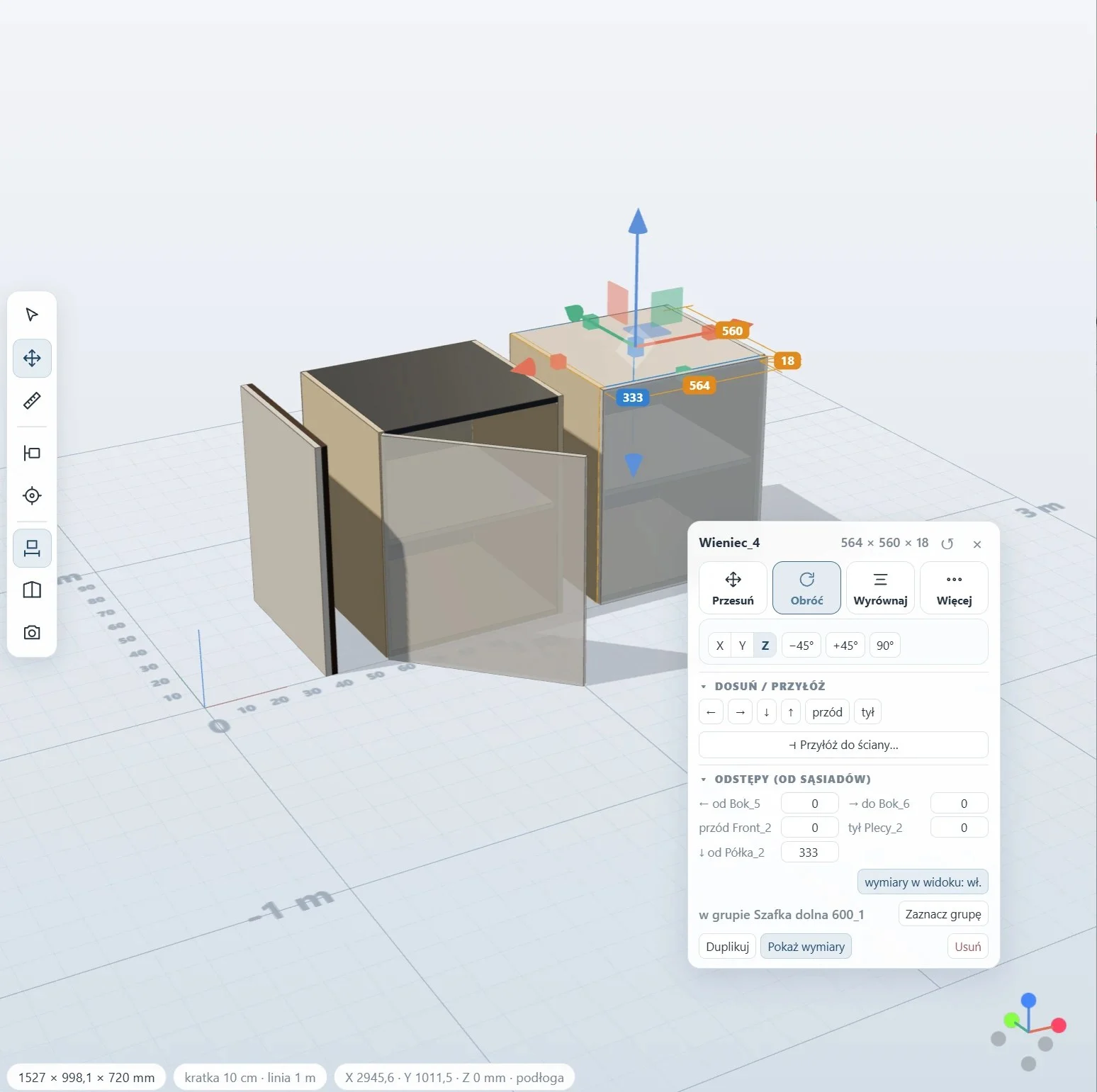
A simple model, exact dimensions, a 3D preview. We are developing our own app for designing board furniture, without having to master a complex CAD.
- 3D model
- Parts
- Dimensions
- Save to PDF
Where the idea came from
Not everything needs a big CAD program.
A simple cabinet is a few boards, exact dimensions and joints between the parts. Yet modelling it can take quite a lot of work.
We want to simplify that start: build a model from parts, see it from every side and fix the dimensions without starting from scratch. It began when we were designing furniture for ourselves.
01 / Layout
You build from parts
Add pieces, place them in space and gradually build the structure of the furniture.
02 / Control
You work with dimensions
Height, width and depth are numbers, not just mouse movements. 18 mm board, part sizes and quantities are counted for you.
03 / View
You check the model in 3D
Rotate the structure and see how the parts come together. Save the parts list as a PDF.
A tool in development
A small program.
One specific job.
We are not building a whole furniture factory in the browser. We start with modelling simple structures, working with dimensions and easier editing of parts.
We use our experience in 3D modelling together with automation and AI. But one thing matters most: whether the tool saves time.
What’s next?
We add features when they solve a problem.
- Board cutting layout
- Easier editing of parts and dimensions
- Faster work with repeated structures
- Tests on real furniture examples
Questions about the software
Before you start.
Is this a finished joinery program?
No. It is a tool in development for simple 3D modelling. We do not present it as a full production system or a replacement for professional CAD/CAM.
Will it prepare CNC files or a cutting layout?
We do not promise CNC files. You can already save the parts list as a PDF, and a board cutting layout is planned — we describe future directions separately from what already works.
Can I help with testing?
Yes, tell us what furniture you would like to design and which features you need. We arrange test access individually, depending on the state of the project.
The best features start with real problems.
Show us what you would like to design.
Vizemotion Lab / Contact
Want to try it? Tell us what you are designing.
A few sentences about the furniture you want to make, or about what bothers you most in the tools you use, are enough.